A live world map of my home router's connections
Back in 2014 I wrote about setting up IPv6 at home. These days a Mikrotik router sits at the edge of my network, and its connection tracking table knows about every flow that passes through it. A table is not a fun thing to stare at, so I put it on a map.
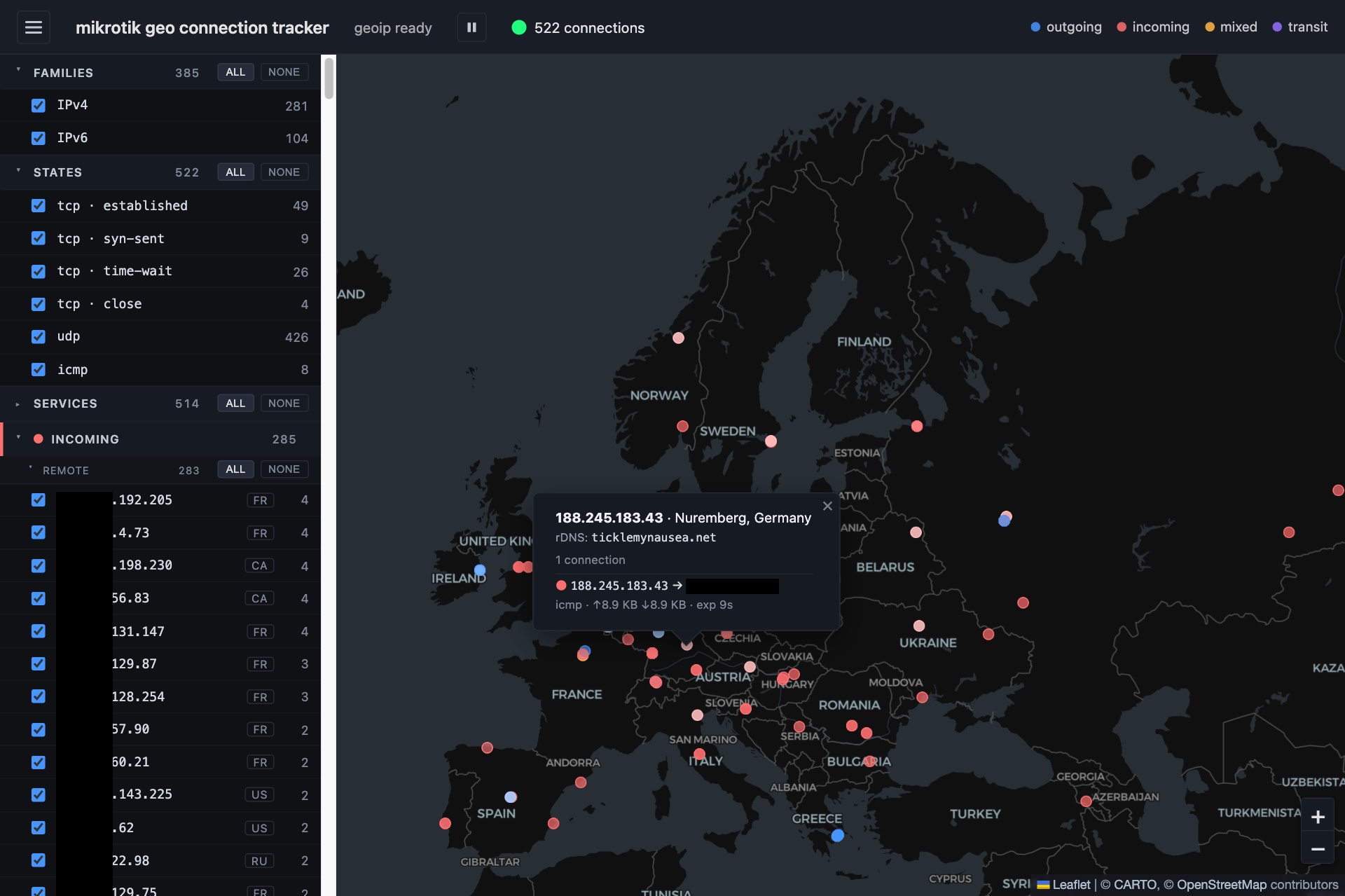
mikrotik-geo-connection-tracker is a web page that polls the RouterOS REST API every few seconds, classifies each conntrack row and drops a coloured dot where the remote IP is located:
- blue for hosts that only see outgoing flows,
- red for hosts that only see incoming flows, including port-forwarded ones,
- amber for hosts with both,
- purple for transit, where neither end looks like it’s on my LAN.
Clicking a dot lists the flows behind it: addresses, ports, protocol, TCP state, bytes each way and a reverse DNS lookup. A sidebar shows the same hosts grouped by colour, with checkboxes to mute the noisy ones.
The top of the sidebar has three filters that narrow down the whole map, each with a live count next to every row:
- Families: IPv4 and IPv6, to show only one of them.
- States: each TCP state (established, syn-sent, time-wait, …) plus UDP, ICMP and other protocols. Hiding
time-waitcleans up a lot of connections that have already ended. - Services: the port each flow connected to, like
TCP 443orUDP 53, whichever way the flow goes. Hiding DNS and NTP leaves the more interesting traffic.
The counts don’t change as you filter, so you can always see what you’re hiding. The screenshot above shows 522 connections: 426 of them UDP, against 49 established TCP connections.
No backend
All of it runs in the browser. It’s built with Svelte 5 and Leaflet. The geolocation lookups run offline against a MaxMind GeoLite2 database that the page downloads once. The only external services at runtime are the OpenStreetMap tiles and, optionally, Cloudflare’s DNS-over-HTTPS for reverse lookups.
The one place a server is needed is the router’s REST API, because browsers won’t let a page talk to it cross-origin. The Docker image ships the static bundle behind nginx, which proxies /rest/* to the router and injects the credentials itself. That way they never end up in the JavaScript bundle.
IPv6 makes classification interesting
With IPv4 behind NAT, telling “mine” from “theirs” is easy: private addresses are local. Home IPv6 networks don’t use NAT, so every device on the LAN has a public address and every flow looks like transit. The fix is to tell the app which delegated prefixes belong to the LAN (LAN_V6_PREFIXES). A similar setting (WAN_V4_ADDRESSES) covers the router’s own traffic: DNS recursion, NTP, and admin logins from outside.
The code is at https://github.com/ticklemynausea/mikrotik-geo-connection-tracker.